


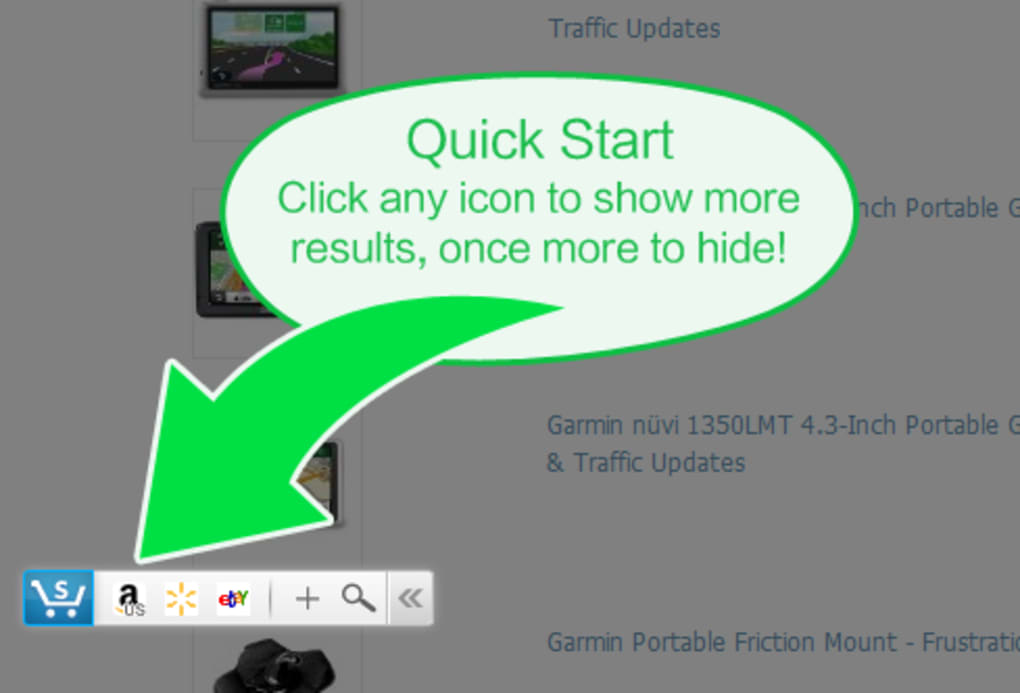

Download Shopping Assistant – price comparison, free browser extension, secure deals
Overview
Shopping Assistant is a free Opera browser extension designed to turn every online shopping trip into a smarter, money‑saving experience. When you land on a product page at a major retailer, the extension automatically pulls comparable listings from eBay, Best Buy, Walmart, Newegg, Buy.com and Amazon, displaying them in a compact side‑panel. This instant price‑comparison engine eliminates the “I should have checked elsewhere” regret that often follows a purchase.
In addition to real‑time price matching, Shopping Assistant offers a built‑in price‑history chart for Amazon items, allowing you to see whether the current price is a dip, a peak, or part of a longer trend. The tool currently supports merchant sites in Canada, China, Germany, France, Italy, the United Kingdom, and the United States, covering the majority of English‑speaking shoppers. While the extension collects usage data through Google Analytics to improve its algorithms, it does not store personal payment details, keeping the core shopping workflow secure.
Overall, Shopping Assistant delivers a lightweight, easy‑to‑install solution that brings price transparency directly to the browser, helping users make informed decisions without opening multiple tabs or visiting separate price‑tracking websites.
Key Features & Benefits
- Real‑time price comparison across six major retailers (eBay, Best Buy, Walmart, Newegg, Buy.com, Amazon).
- Automatic side‑panel display that appears when you view a product page.
- Amazon price‑history chart showing historical lows, highs, and average prices.
- Support for popular merchant sites in North America, Europe, and Asia.
- Lightweight code footprint – the extension adds less than 5 MB to your browser.
- Free to download and use with regular updates from the developer.
- Secure operation – no storage of credit‑card data; only anonymized usage metrics are sent to Google Analytics.
- Customizable notifications – choose to see only lower‑price alerts or full comparison lists.
Why These Features Matter
The real power of Shopping Assistant lies in its ability to surface alternatives without interrupting your browsing flow. Traditional price‑comparison sites require you to copy the product name, paste it into a new tab, and sift through results. With this extension, the competitor list appears instantly, letting you click directly to the better deal.
The Amazon price‑history chart adds a layer of strategic insight: you can decide whether to buy now or wait for a known seasonal dip. Because the extension is built for Opera, it integrates with the browser’s native UI, keeping the interface clean and non‑intrusive. The multi‑region support means that users in the UK, Germany, or Canada can benefit from local retailer data, not just US‑centric listings.
Finally, the free‑to‑use model removes any barrier to entry, while regular updates ensure that new retailers and pricing algorithms stay current.
Installation, Compatibility & How to Use
Installing Shopping Assistant is a straightforward three‑step process. First, open the Opera browser and navigate to the Opera Add‑ons store. Search for “Shopping Assistant” and click the “Add to Opera” button.
A permission prompt will appear, asking for access to read and change data on the websites you visit – this is required for the extension to inject the comparison panel. Click “Add extension” to complete the installation. Once installed, the Shopping Assistant icon appears in the Opera toolbar.
System Requirements
Shopping Assistant runs on any operating system that supports the latest version of Opera, including Windows 10/11, macOS 10.15+ (Catalina and later), Linux distributions with Opera, as well as the mobile version of Opera for Android and iOS. However, the full feature set – especially the side‑panel price comparison – is currently optimized for desktop browsers. Mobile users will still receive a lightweight notification badge with a link to the best alternative price.
Step‑by‑Step Usage Guide
- Navigate to a product page. Visit a retailer such as Walmart or Best Buy and open any product detail page.
- Watch the side‑panel appear. Within seconds, a vertical pane slides in from the right, listing comparable items from the supported retailers.
- Compare prices. Each entry shows the retailer’s name, price, shipping cost (if available), and a direct “View Deal” button.
- Check price history (Amazon only). If you’re on an Amazon product page, a small chart beneath the price reveals historical trends.
- Choose the best offer. Click “View Deal” to be taken to the lower‑price site, or click the original retailer’s “Buy Now” if you prefer to stay.
- Adjust settings. Click the extension icon to open the options menu, where you can enable or disable notifications, select which retailers to display, and manage privacy preferences.
The extension updates automatically via the Opera store, ensuring you always have the latest retailer database and bug fixes. If you ever need to remove the tool, simply right‑click the icon and select “Remove from Opera.” Because Shopping Assistant does not store personal shopping data, uninstalling removes all extension‑related files from your system.
Pros, Cons, FAQ & Final Verdict
Pros
- Instant, in‑context price comparison saves time.
- Free to download with no hidden subscription fees.
- Supports a wide range of major retailers.
- Amazon price‑history chart adds strategic buying insight.
- Lightweight and does not noticeably affect browser performance.
Cons
- Limited to the Opera browser; not available for Chrome or Firefox.
- Data collection via Google Analytics may concern privacy‑focused users.
- Price‑history feature only works for Amazon products.
- Regional support excludes some countries, limiting global shoppers.
Frequently Asked Questions
Is Shopping Assistant completely free?
Yes, the extension is free to download and use. There are no hidden fees or premium tiers, although the developer may introduce optional donations in the future.
Does the extension collect personal data?
Shopping Assistant uses Google Analytics to collect anonymized usage statistics (such as feature clicks and error reports). No personal identifiers, credit‑card numbers, or browsing history are stored.
Can I use Shopping Assistant on mobile devices?
A lightweight version is available for Opera on Android and iOS. It provides price alerts but does not display the full side‑panel UI due to screen‑size constraints.
What retailers are supported for price comparison?
The extension compares prices from eBay, Best Buy, Walmart, Newegg, Buy.com and Amazon. Additional retailers may be added in future updates.
How often is the price data refreshed?
Price data is fetched in real‑time when you open a product page, ensuring you see the most current offers available.
Final Verdict & Call to Action
For anyone who spends a few minutes each week browsing online stores, Shopping Assistant delivers tangible savings without demanding extra research time. Its seamless integration with Opera, comprehensive retailer coverage, and free price‑history insights make it a standout tool in the crowded price‑comparison market. While the reliance on Google Analytics may be a drawback for the most privacy‑conscious users, the overall risk is minimal compared to the financial benefit of avoiding over‑priced purchases. If you’re ready to shop smarter, simply click the download button below, add the extension to your Opera browser, and start seeing better deals instantly.
Download Shopping Assistant now and never wonder if you could have paid less again.







